
No. 01 · The Inquiry-to-Booked System
For wedding & portrait photographers
Know what to send after every photography inquiry. And when to send it.

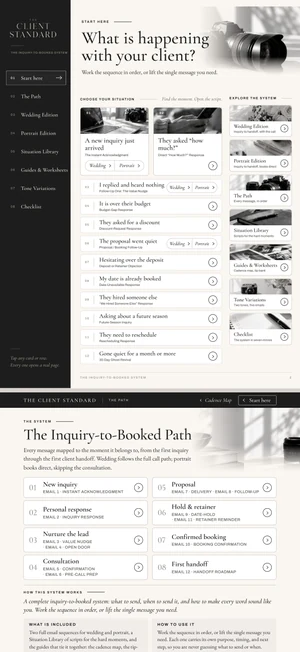
33 written scripts, from your first reply to the booked client, each with a note on when to send it. One fillable PDF that opens on your laptop or phone.
Prefer Etsy? Buy it on Etsy
$37 one time 56 pages 33 scripts 72 fillable fields Instant download No subscription
The Problem
Where the booking can quietly stall.
The gaps are easy to miss: the reply that goes out a day late, the follow-up that never gets sent, the proposal that goes quiet. These three moments are where the System starts.
01
The inquiry arrives
A fast acknowledgment is missing.
02
The client is interested
The next step is unclear.
03
The proposal is sent
Follow-up becomes inconsistent.
The Promise
“The words between ‘I’m interested’ and ‘You’re booked’ are already written.”
56 pages. 33 scripts, wedding and portrait, written separately, not find-and-replaced. Works inside Gmail, HoneyBook, Dubsado and Studio Ninja.
The Contents
What’s inside.
12
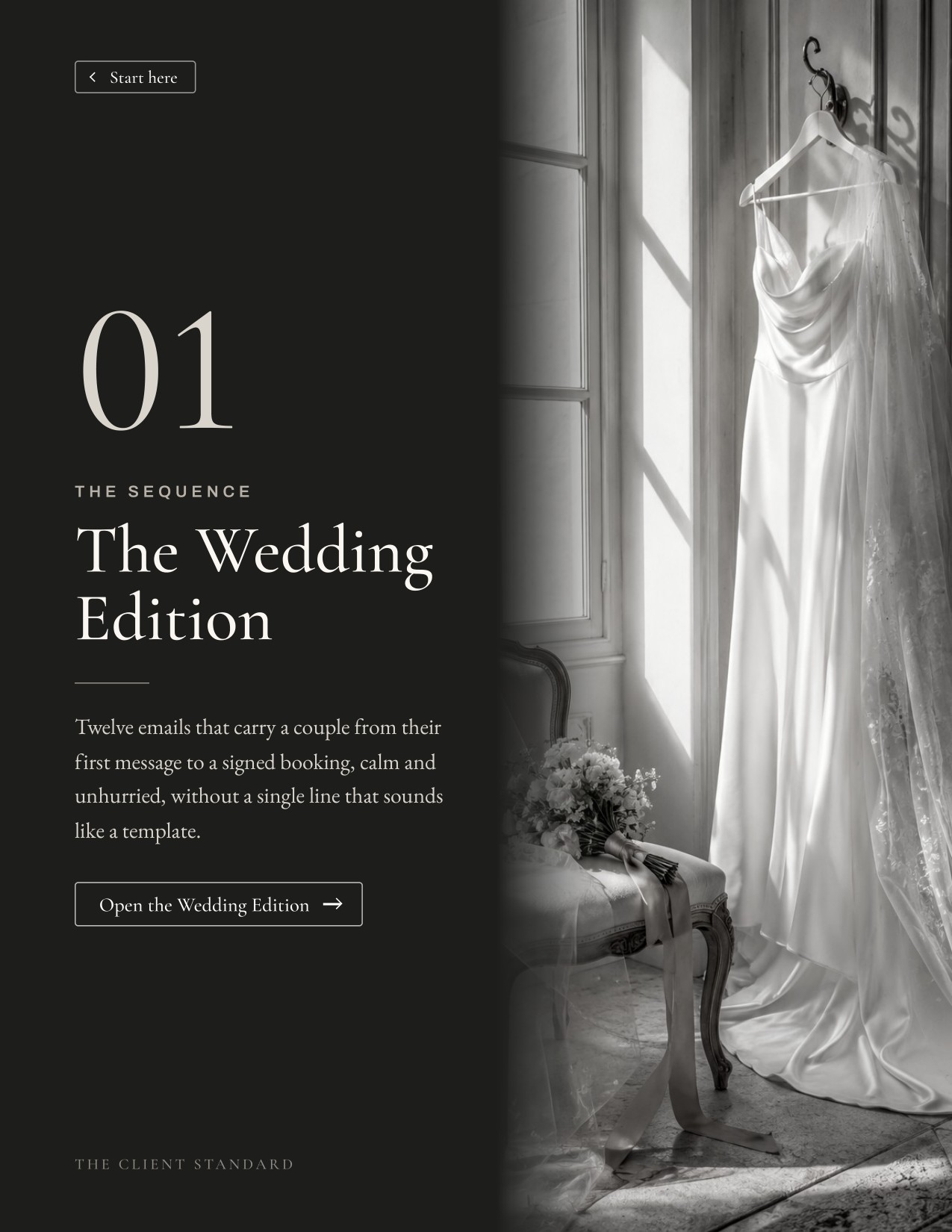
Wedding Emails
The full inquiry-to-booked sequence, timed for the wedding calendar.
12
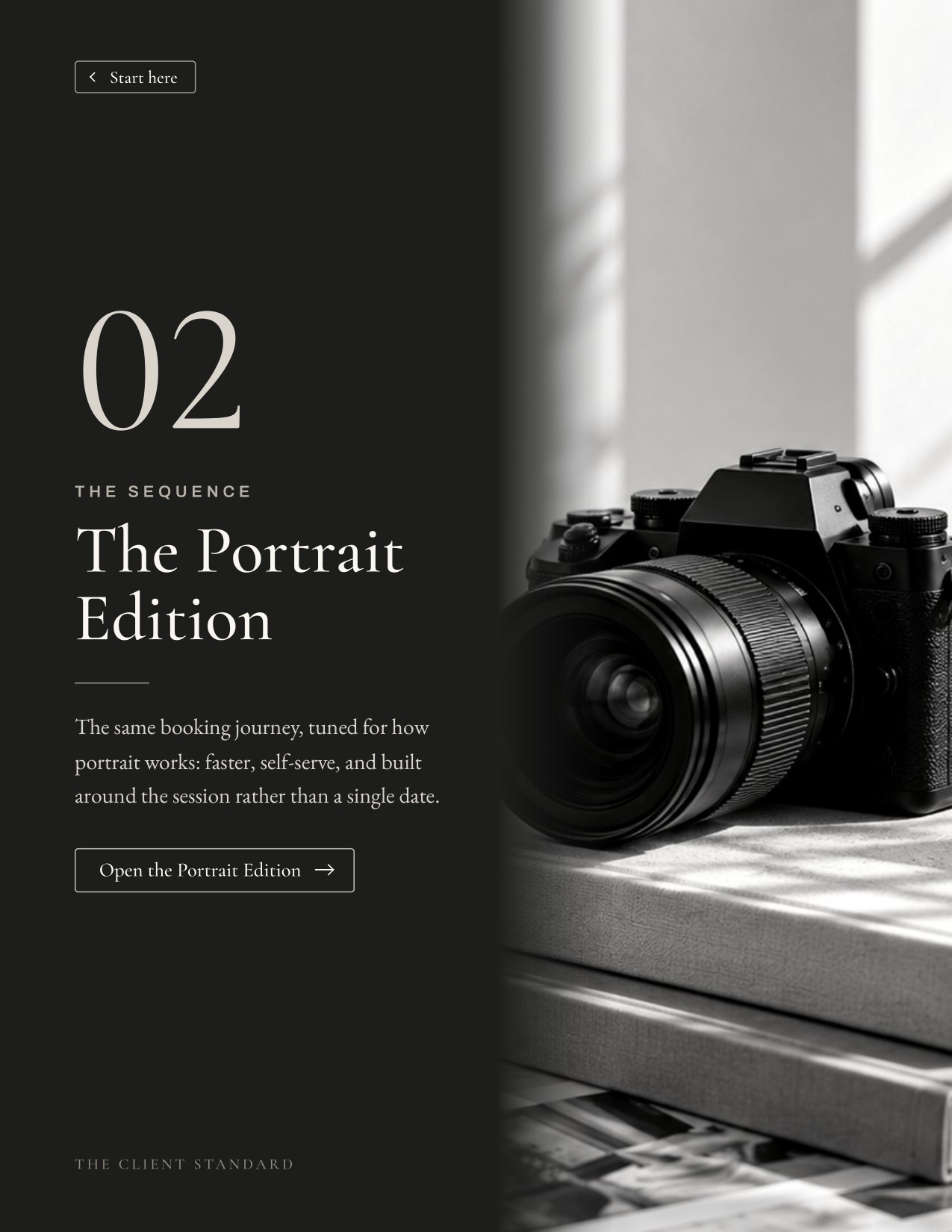
Portrait Emails
Built for sessions and minis, no-call by default.
11
Situation Scripts
The messages nobody wants to write: ghosting, discounts, dates you can't take.
72
Fillable Fields
Type-in lines on the Tip-Bank pages (45 to 48). Fill them on screen or print them.
2
Tone Variations
Warm & Editorial or Clean & Minimal, for the five emails you personalize most.
1
Cadence Map
One page: what goes out, on what day, call path or no-call.
1
Tip-Bank Worksheet
Fillable. Write your venue and season notes once, reuse them everywhere.
1
Implementation Checklist
So the system is running in an afternoon, not sitting in your downloads folder.
Turn the pages
Try the system below ↓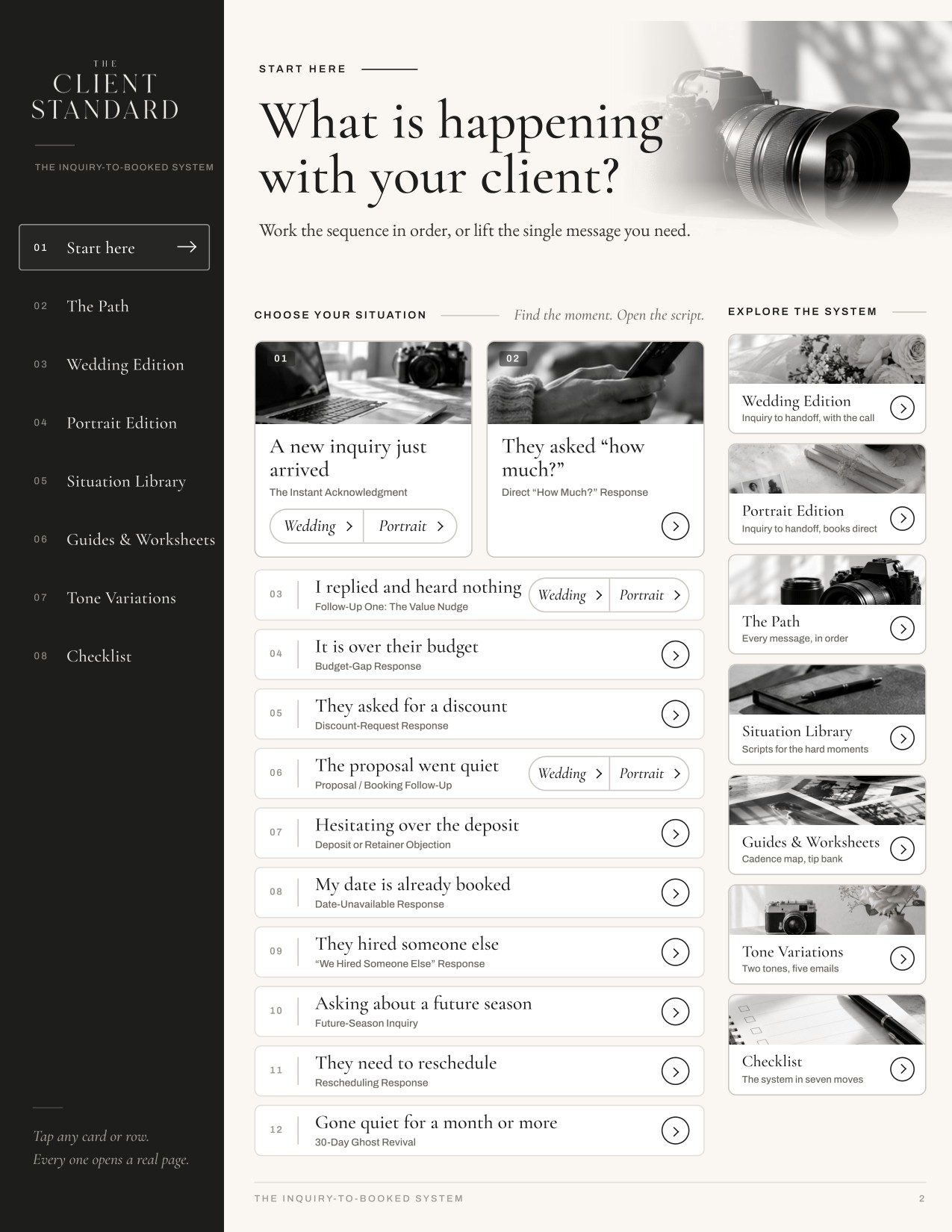
Page 2Start hereTwelve client moments. Click or tap one and its script opens. 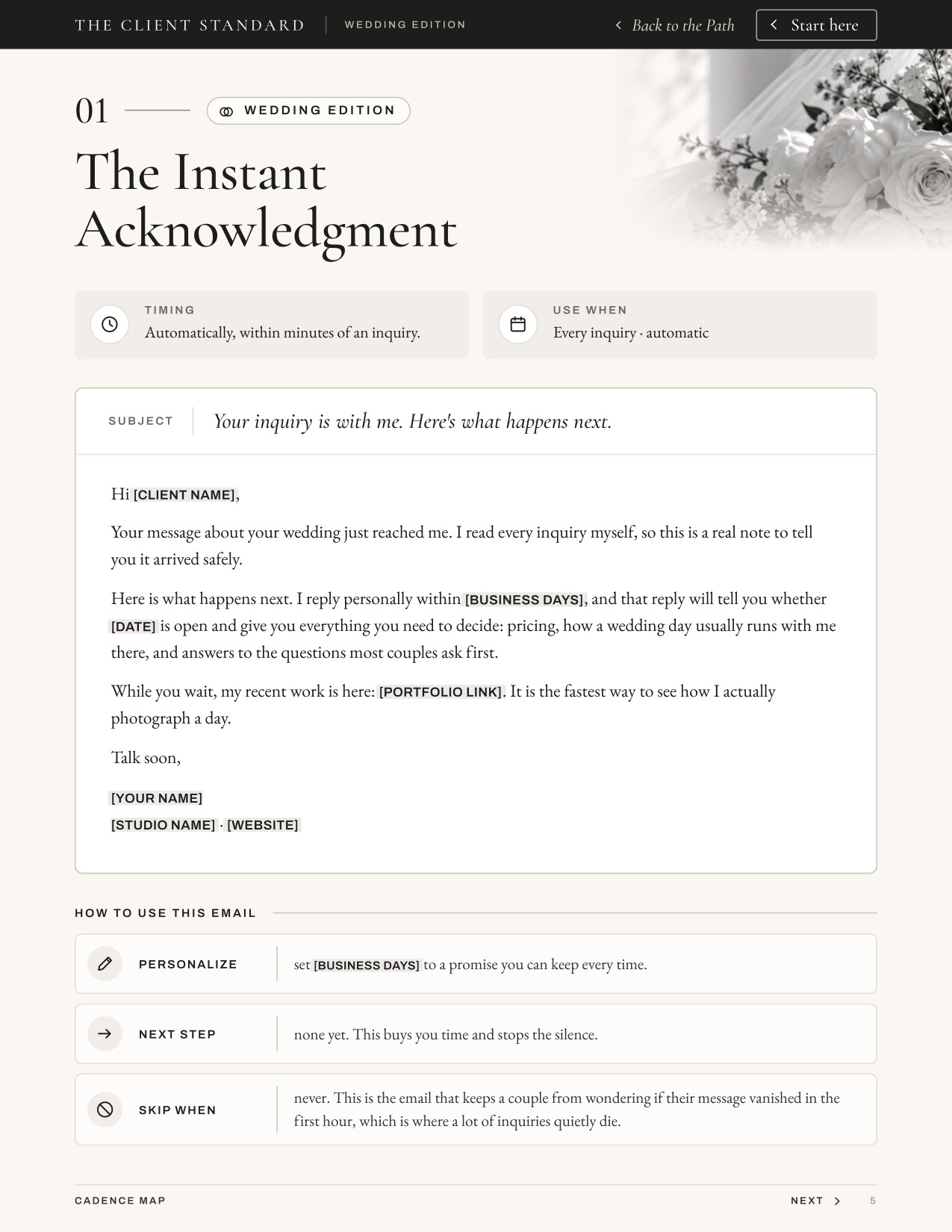
Page 5A script pageThe email itself, with its Timing, Use when and Next step notes. 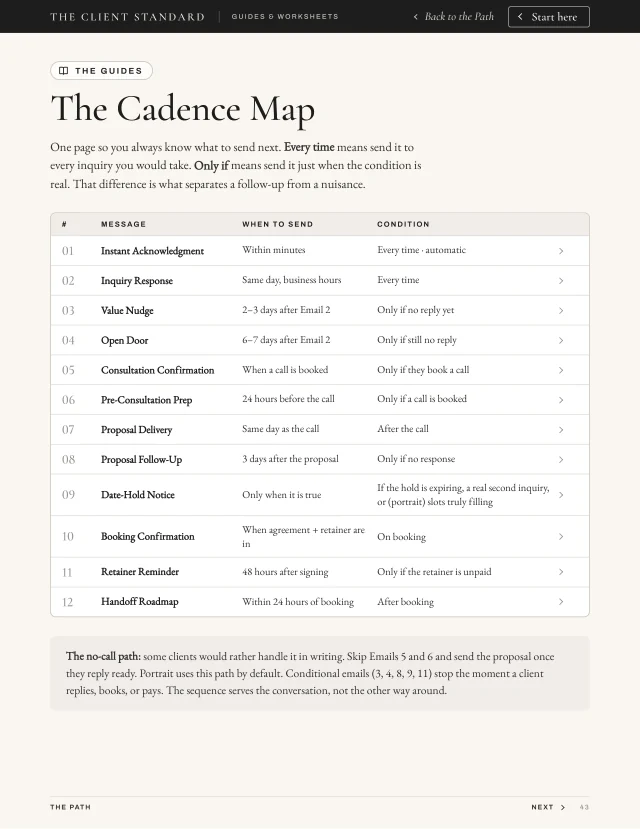
Page 43The Cadence MapOne page: what goes out next, and when. 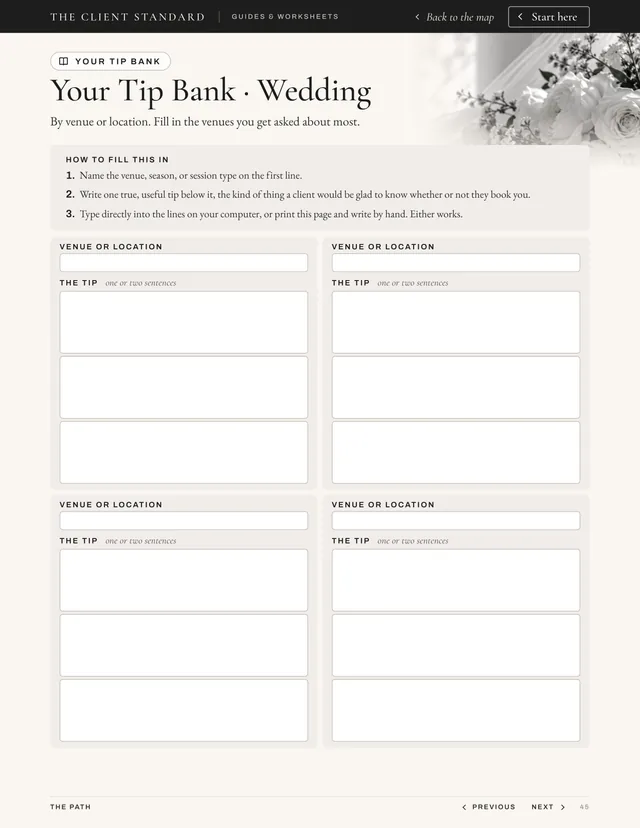
Pages 45 to 48The Tip Bank72 fillable fields for your venue and season notes.
Why 33, Not 35
Twelve wedding emails, twelve portrait emails and eleven situation scripts make thirty-five numbered entries. Emails 8 and 11 do the same job in both editions, so each counts once. The wording is written for each edition. That leaves 33 distinct scripts.
See How It Works
Four steps, inside one PDF.
Try it here. Pick what is happening with your client, type a name, and see the script, the timing and the next step the PDF gives you.
Identify the situation: choose one of the twelve moments from the Start Here page
Page 2 of the PDF asks What is happening with your client? Pick a moment to see which script it opens.
Opens: The Instant Acknowledgment
Use the arrow keys to move through the list.
Find the script
It opens
The Instant Acknowledgment
Written for both editions: Wedding · Portrait
What every script page looks like
Customize the wording
Each script marks the details you swap in. Try it with the opening of Email 01.
A demonstration on this page only. In the PDF you replace the bracketed details when you copy the email into Gmail, HoneyBook, Dubsado or Studio Ninja. Nothing typed here is saved or sent.
Email 01 · Wedding Edition · Excerpt
SubjectYour inquiry is with me. Here’s what happens next.
Hi [CLIENT NAME],
Your message about your wedding just reached me. I read every inquiry myself, so this is a real note to tell you it arrived safely.
Here is what happens next. I reply personally within [BUSINESS DAYS], and that reply will tell you whether [DATE] is open…
Talk soon,
[YOUR NAME]
[STUDIO NAME] · [WEBSITE]
Decide when, and whether, to send it
Every script page carries Timing, Use when and Next step notes. These are the ones printed on Email 01, which is written to be set up by you as the auto-reply in your own inbox or CRM. The PDF itself sends nothing.
- Timing
- Automatically, within minutes of an inquiry.
- Use when
- Every inquiry · automatic
- Personalize
- Set [BUSINESS DAYS] to a promise you can keep every time.
- Next step
- None yet. This buys you time and stops the silence.
Most script pages also say when to skip the message entirely.
The 72 fillable fields
Your Tip Bank, filled in once.
Email 3 gives the client one useful tip about their venue, season or session. Pages 45 to 48 are fillable worksheets for those tips: type on your computer, or print and write by hand. Try one line.
Demonstration only. Nothing typed here is saved or sent.
That is one script. The PDF holds all 33.
Prefer Etsy? Buy it on Etsy
The Path
Inquiry to booked.
The Difference
A folder of templates. Or a complete system.
A Folder Of Templates
A Complete System
Scattered
Ordered
Generic
Guided
Robotic
Human
Reactive
Timed
Pressure-driven
Honest
No Manufactured Urgency
The date-hold script uses the competing-inquiry line only when a competing inquiry is real.
No Claims About Your Rate
This gives you a consistent follow-up process. What it produces depends on your work, your pricing, your market.

The Situation Library
The messages nobody wants to write.
Eleven real situations, each with the timing, the judgment, and the exact words, so the hard reply gets sent instead of avoided.
Choose Your Voice
Two tones, one system.
Warm & Editorial
More texture and rhythm. Personal, unhurried, quietly expressive. For a high-touch, story-led studio.
FROM FOLLOW-UP ONE: THE VALUE NUDGE
“No pressure at all on my last note. Planning a wedding means a hundred open tabs, and the photographer is rarely the loudest one.”
Clean & Minimal
Short, direct, uncluttered. Every line earns its place. For a modern, understated brand.
FROM FOLLOW-UP ONE: THE VALUE NUDGE
“No pressure on my last note. Planning a wedding is a hundred open tabs, and photographers are rarely the urgent one.”
Pick one voice and keep it, or choose per email. Shown for Emails 2, 3, 4, 7, and 8.
The Method
Three steps, today.
i.
Download
Receive the complete 56-page fillable PDF instantly.
ii.
Customize
Swap in your details where the brackets are, and choose your tone.
iii.
Send
Paste it into Gmail, HoneyBook, Dubsado or Studio Ninja.
Good To Know
What this is not
- Not a contract. Or legal advice. Match retainer and reschedule language to your own agreement.
- Not a CRM. It goes inside the one you use, or inside Gmail.
- Not a pricing guide. It tells you how to say your number, not what it should be.
- Not automatic. The PDF sends nothing. Sending on time, or setting up your own auto-reply, is still yours to do.
Who it’s for
- Solo photographers. Answering inquiries between shoots and edits.
- Newer or established. The words help either way.
- Probably not for you if a studio manager already owns this, or your inquiry path looks nothing like this.
The Sample
Start with three, free.
The First 72 Hours is three scripts and a timing map for the first three days after an inquiry arrives: the instant acknowledgment, the inquiry response, and the first follow-up.
Same writing, same notes, no cost. If they work in your inbox, the rest of the System is waiting.
One email with the download. Occasional notes on client communication only if you tick the box. Leave whenever you want.
Frequently Asked
Questions, answered.
The Offer
The words are the part you can fix today.
- 01Complete Inquiry-to-Booked System
- 0256-page fillable PDF
- 0333 distinct messages
- 04Wedding and portrait versions
- 05Full situation library
- 06Cadence + implementation tools
- 07Instant download
- 08No subscription
Prefer Etsy? Buy it on Etsy
$37 one time · Instant download · No subscription